Introduction
The fire alarm goes off at your Phoenix branch. Within 90 seconds, everyone should be at the assembly point two blocks north. But your operations manager is staring at a printed roster from three weeks ago, missing the two new hires and the three people who called in sick. Someone thinks they saw Janet head to the parking garage instead of the assembly area. No one can find Marcus.
This scenario plays out hundreds of times a year across multi-location organizations. The problem isn't that people don't care about safety. It's that most employee accountability systems were built for a world where everyone worked predictable shifts in one building. That world doesn't exist anymore. Hybrid schedules, rotating staff, and dispersed locations have turned the simple question of 'Is everyone safe?' into a complex coordination challenge that paper-based systems can't solve.
Why Traditional Check-In Methods Fail
Walk into most organizations and you'll find emergency procedures that assume you have accurate headcounts before the crisis starts. The reality is messier. Your branch manager is juggling six locations across two time zones. Half your team is remote on Thursdays. Contractors come and go. Someone's visiting from corporate.
Paper rosters go stale the moment they're printed. Email chains create confusion, not clarity. Phone trees assume people will answer during a crisis when they're more likely focused on getting safe. Group texts turn into chaos when 47 people start replying with questions instead of status updates.
The gap becomes obvious during actual emergencies. Operations teams waste critical minutes trying to figure out who should be accounted for before they can start tracking who's actually safe. By the time they've assembled an accurate list, the situation has often changed twice.
Start With Accurate Presence Data
Integrate your check-in system with digital sign-in tools and visitor management platforms. If your system doesn't know who's on-site before the emergency, you're already behind.
What Effective Check-In Systems Actually Do
Organizations that handle accountability well use centralized, technology-driven systems that track people in real time. The best platforms send alerts across multiple channels simultaneously: text, email, voice call, and mobile push notifications. This redundancy matters because you can't predict which channel someone will respond to when they're evacuating a building.
Two-way communication is critical. Your notification system needs to let employees confirm their status directly from their phones. A simple 'I'm safe' button eliminates the phone tag and allows your command center to focus on people who haven't responded rather than trying to reach everyone individually.
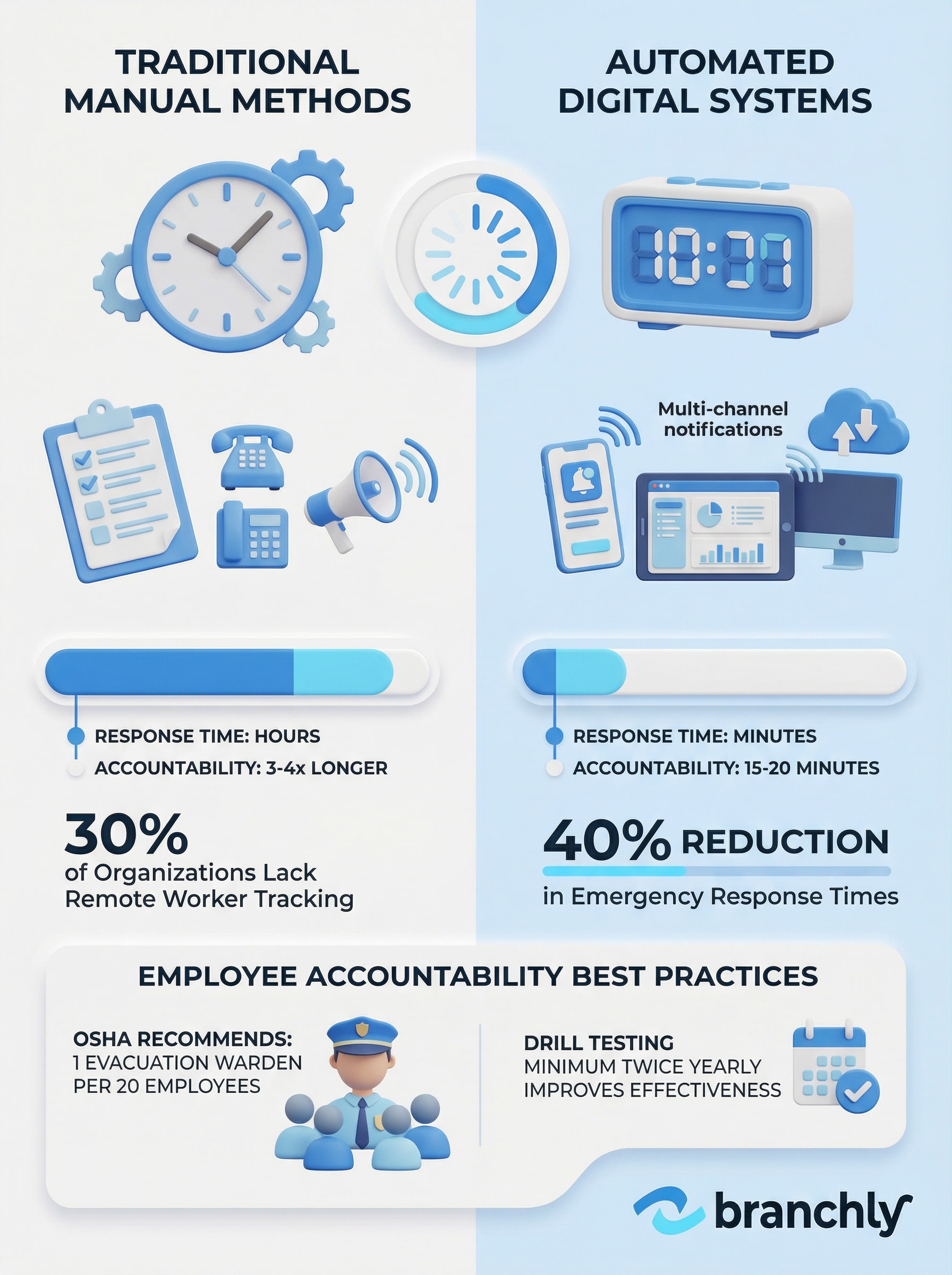
Research shows that platforms with automated tracking reduce emergency response times by 40% compared to manual methods. That's the difference between accounting for 200 employees in 15 minutes versus an hour. When you're dealing with active threats or rapidly evolving situations like severe weather, those 45 minutes matter enormously.
The OSHA Benchmark
OSHA recommends one evacuation warden per 20 employees. If you're relying solely on wardens with clipboards, do the math on how long manual roll calls actually take at your largest location.
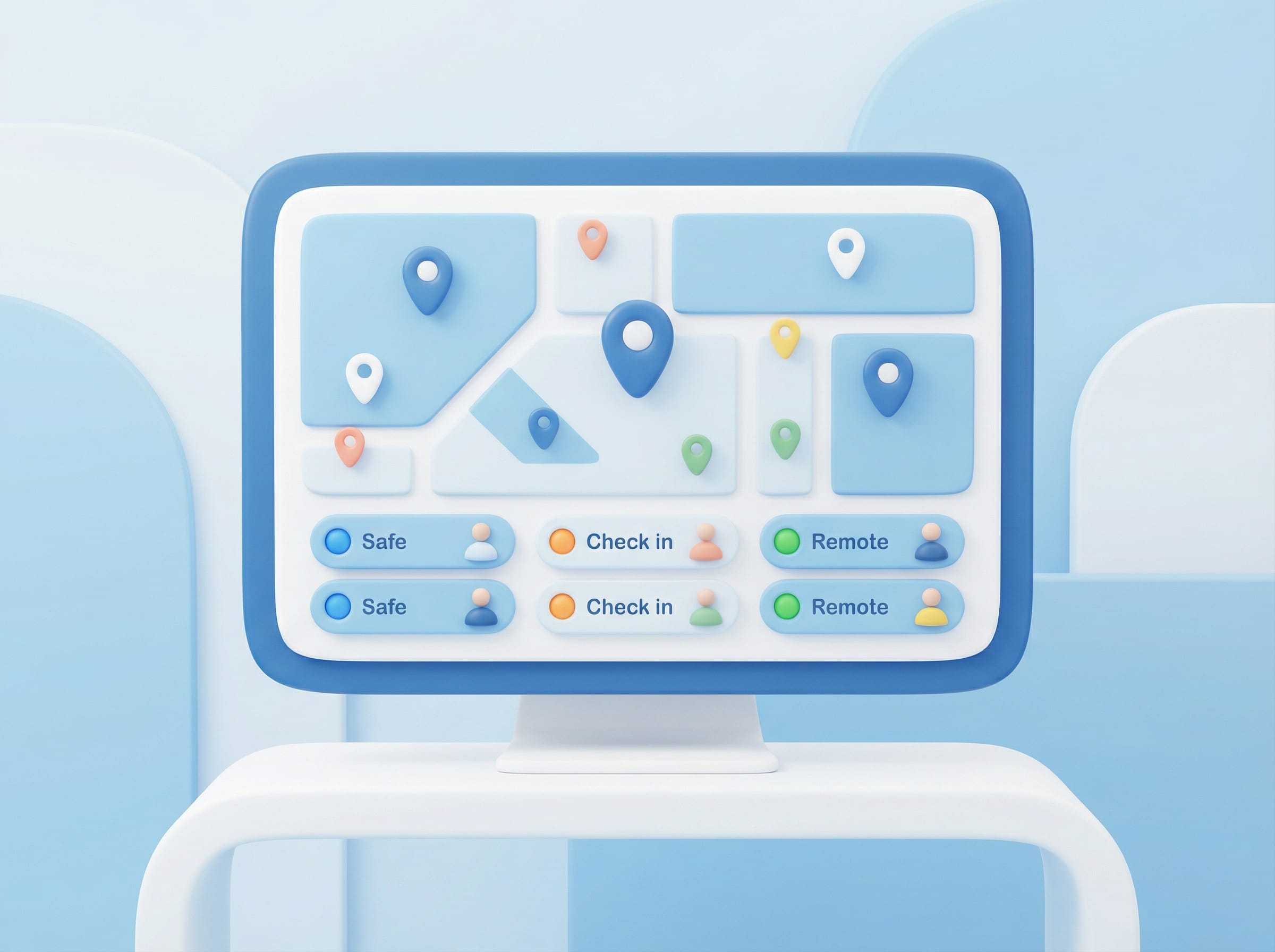
Cloud-based dashboards give command center teams visibility across all locations simultaneously. Instead of waiting for phone calls from each site, operations managers see real-time status updates as employees check in. The dashboard highlights who hasn't responded, allowing teams to prioritize outreach to non-responsive individuals rather than spending time confirming what they already know.
Setting Up Assembly Points That Work
Digital check-ins are only half the equation. You still need physical assembly points where people actually gather. The location matters more than most organizations realize. Your assembly area needs to be far enough from the building to be safe but close enough that people can get there quickly. It should be clearly marked and familiar to everyone who works at that location.
Designate specific coordinators for each assembly point. These people need authority to conduct headcounts and communicate with the command center. Train them on both the digital check-in tools and backup manual procedures for situations where phones don't work.
Consider your building layout and typical occupancy patterns. A retail location with high customer traffic needs different procedures than a credit union branch with mostly employees and scheduled appointments. Factor in parking areas, loading docks, and any spaces where people might be working away from the main building.
Account for Visitors and Contractors
Your check-in system needs to track temporary personnel too. Integrate visitor logs and contractor schedules so you're not searching for people who were never on-site.
For multi-location organizations, standardize your assembly point criteria but customize the actual locations. The branch in downtown Denver has different constraints than your suburban Phoenix location. Document the specific assembly points in your digital playbooks so new employees and managers transferring between locations can find the information instantly.
Building Redundancy Into Your System
Technology fails. Cell towers go down. Building evacuations mean people leave phones on their desks. Your accountability system needs backup methods that work when the primary system doesn't.
Multi-channel notifications provide the first layer of redundancy. If the mobile app doesn't reach someone, the text message might. If texts aren't getting through, voice calls can. Email is usually the slowest channel but works when others fail.
But digital redundancy isn't enough. Train your evacuation coordinators on manual procedures too. They should have printed backup rosters updated weekly, not monthly. Those rosters should include photos if possible, because trying to match names to faces during a chaotic evacuation is harder than it sounds.
The Hybrid Workforce Challenge
30% of organizations still don't have reliable systems for tracking remote and hybrid workers during emergencies. If your system only works for people physically on-site, you're missing a third of your workforce.
Some organizations use wearable panic buttons or GPS-enabled safety apps for employees in high-risk roles or isolated locations. These tools let individuals trigger alerts with their location data, which is useful when someone can't reach their assigned assembly point or needs immediate assistance.
Testing What You Built
Systems that work in theory often break in practice. The only way to know if your employee check-in procedures actually work is to test them. Run drills at least twice a year at each location. Vary the scenarios: fire evacuations, severe weather sheltering, active threat lockdowns. Different situations require different accountability procedures.
Track specific metrics during drills. How long does it take from alarm to full accountability? What percentage of employees successfully check in through the digital system? How many required manual follow-up? Which locations or shifts consistently have problems?
Use the data to fix weaknesses before they matter. If your overnight shift has lower check-in rates, investigate why. Maybe they're not getting the notifications. Maybe they don't understand the procedure. Maybe your assembly point isn't accessible after dark.
Turn Drill Data Into Better Procedures
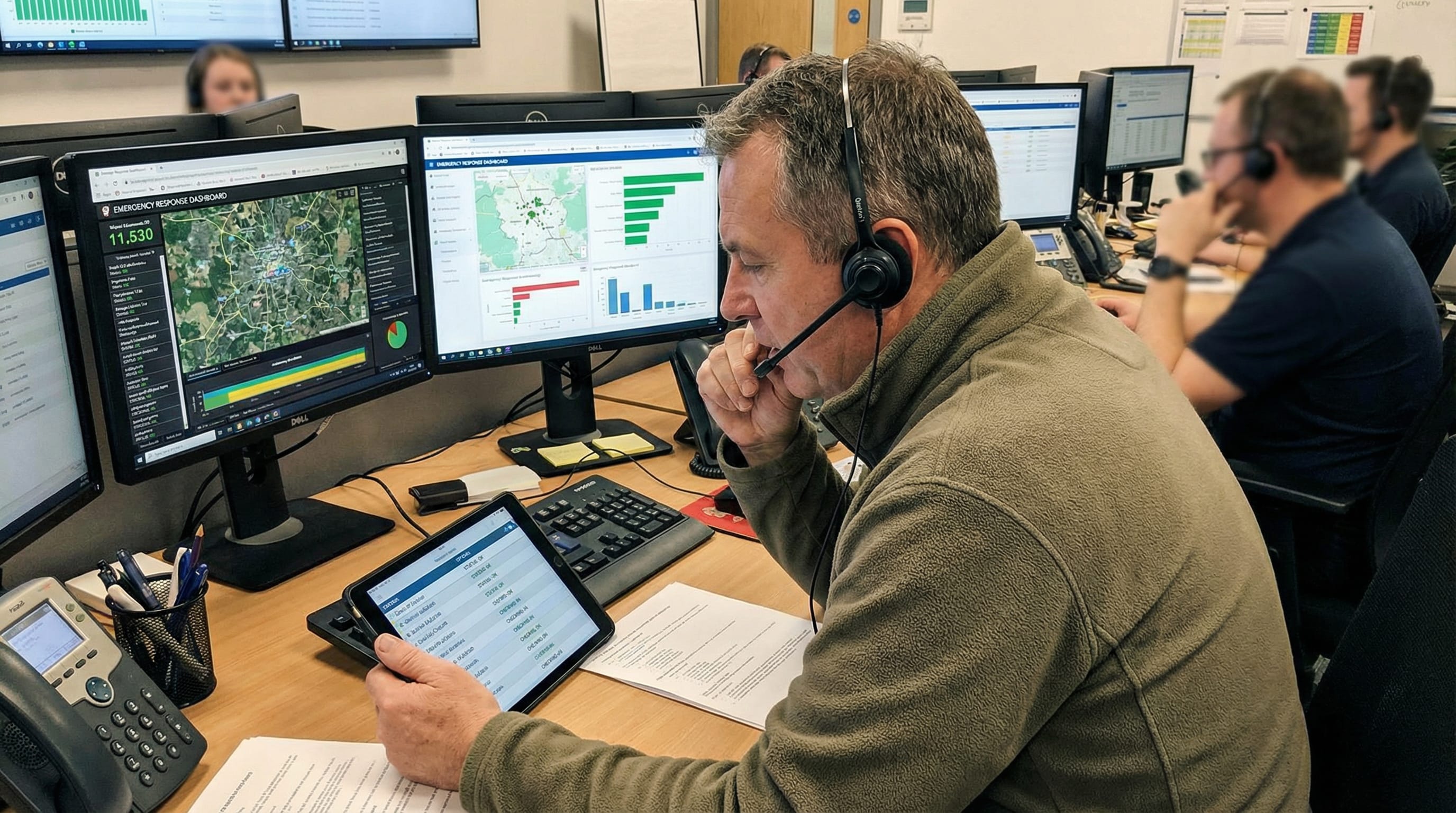
Track check-in rates, response times, and gaps by location to identify where your accountability system breaks down
Document everything. Your digital system should automatically log every drill: who participated, response times, check-in rates, issues encountered. This documentation proves due diligence to regulators and insurers. More importantly, it gives you a baseline to measure improvement against.
Don't skip surprise drills entirely. Announced drills test whether people know the procedures. Unannounced drills test whether they'll actually follow them under pressure. The results are often uncomfortably different.
The Compliance Dimension
For regulated industries like financial services, employee accountability isn't just about safety. It's a compliance requirement. OSHA, NFPA, and industry-specific regulators all expect organizations to demonstrate they can account for personnel during emergencies.
Auditors want to see documentation proving your procedures work. That means maintaining records of drills, check-in logs from actual incidents, and evidence that you've addressed gaps identified during testing. Paper-based systems make this documentation burden heavy. Digital platforms automate most of it.
Tamper-resistant audit trails matter too. Your system should timestamp every action: when the alert went out, when each employee checked in, when coordinators marked someone as accounted for manually, when the all-clear was given. These logs need to be immutable so regulators can trust they reflect what actually happened, not what someone wished had happened.
Meet the OSHA Standard
OSHA requires employers to have procedures for accounting for all employees after evacuation. Generic corporate policies don't cut it. You need location-specific procedures that reflect actual building layouts and staffing patterns.
Credit unions and banks face additional scrutiny. NCUA and FFIEC guidelines expect institutions to prove business continuity capabilities, including employee safety procedures. When examiners review your program, they're checking whether your accountability systems would actually work during a regional disaster affecting multiple branches simultaneously.
What Good Looks Like in Practice
Here's what effective employee accountability looks like when an emergency actually happens. The system detects or receives notice of an incident. It automatically identifies which locations and employees are affected based on their schedules and current locations. Multi-channel notifications go out instantly to those specific people, not to the entire organization.
Employees receive clear instructions: evacuate to assembly point A, shelter in place on interior corridors, or whatever the situation requires. They check in with a single tap on their phones. The command center dashboard updates in real time, showing green for checked in, yellow for no response yet, red for confirmed issues.
After five minutes, the system automatically sends follow-up messages to anyone who hasn't responded. After ten minutes, it escalates non-responsive individuals to coordinators for direct outreach. The system logs everything: who was notified, who responded, how long it took, what actions coordinators took.
This isn't theoretical. Organizations running modern accountability platforms regularly achieve full employee check-in within 15-20 minutes across dozens of locations. Traditional methods take three to four times longer and often miss people entirely.
Communication Drives Trust
Research shows that transparent, timely communication during crises significantly improves employee trust and reduces uncertainty. Your check-in system is also a trust-building tool.
The difference comes down to automation and visibility. Manual systems force coordinators to work through lists sequentially. Automated systems let them focus on exceptions. Manual systems leave operations managers waiting for phone calls. Automated dashboards show them exactly what's happening across the entire organization.
Making It Work Long-Term
Even good systems decay without maintenance. Employee rosters change constantly. People switch locations, change shifts, leave the organization, join remotely. Your accountability system is only as accurate as the data feeding it.
Integrate your check-in platform with HR systems so roster updates happen automatically. When someone's hired, transferred, or terminated, that change should flow immediately to your emergency notification system. Manual roster updates inevitably lag, creating gaps during emergencies.
Train new employees on check-in procedures during onboarding, not as an afterthought six months later. Make it part of the first-day experience. Show them where assembly points are located. Have them install the safety app and test it. Five minutes of training during onboarding saves hours of confusion during actual emergencies.
Review your procedures quarterly. Are assembly points still appropriate? Have building layouts changed? Did you open new locations? Do new employees understand the procedures as well as veterans? Use drill data to drive these reviews rather than relying on assumptions.
Keep It Simple for Users
The best accountability systems require almost no training for employees. If your process involves more than 'open the app and tap I'm safe,' you've made it too complicated.
Leadership commitment matters too. When executives take drills seriously, employees do. When leadership treats accountability procedures as bureaucratic overhead, compliance rates drop. The tone starts at the top.
Summary
Employee accountability during emergencies comes down to three things: accurate data about who's where, fast communication tools that reach people reliably, and procedures simple enough that stressed people can follow them. Technology solves the speed and scale problem. But technology without clear procedures, regular testing, and organizational commitment creates a false sense of security. The organizations that handle accountability well treat it as a continuous process, not a binder on a shelf. They test regularly, fix what breaks, and build redundancy for when primary systems fail. When you're responsible for hundreds of employees across dozens of locations, that discipline is what separates professional response from dangerous improvisation.
Key Things to Remember
- ✓Multi-channel notifications (text, email, voice, push) reach more people faster than single-channel systems, with automated platforms reducing emergency response times by 40%.
- ✓Two-way digital check-ins let employees confirm safety with one tap, allowing command centers to focus on non-responsive individuals instead of manually contacting everyone.
- ✓Effective systems require redundancy: when digital tools fail, trained evacuation coordinators with updated manual rosters provide critical backup.
- ✓Regular drills (minimum twice yearly) with tracked metrics identify gaps in procedures before they matter during actual emergencies.
- ✓Integration with HR systems keeps rosters automatically updated, preventing the accuracy gaps that plague manually maintained employee lists.
How Branchly Can Help
Branchly's Command Center gives operations teams real-time visibility across all locations during emergencies, automatically tracking employee check-ins through multi-channel notifications. Our platform integrates with your existing systems to maintain accurate rosters, sends automated follow-ups to non-responsive employees, and logs every action for compliance audits. When an incident activates, Branchly identifies affected locations and personnel, launches pre-approved communication templates, and provides live dashboards showing exactly who's accounted for and who needs follow-up. The system learns from every drill and incident, automatically suggesting improvements to your accountability procedures based on actual response data.
Citations & References
- [1]
- [2]
- [3]oregon.gov View source ↗
- [4]
- [5]
- [6]
- [7]Employee Policy and Procedures for Emergencies or Natural Disasters Template trainual.com View source ↗
- [8]Frontiers | Internal crisis communication: exploring antecedents and consequences from a managerial viewpoint frontiersin.org View source ↗
- [9]
- [10]
- [11]Human Capital Matters: Communicating with Employees During Times of Crisis conference-board.org View source ↗